Free AI Video Prompts
Copy-and-paste AI video prompts for TikTok, Instagram Reels and YouTube Shorts. Each prompt comes with a poster, simple steps and tips, so you can go from idea to finished video faster.
AI Video Character Swap Prompt (Free Video-to-Video)
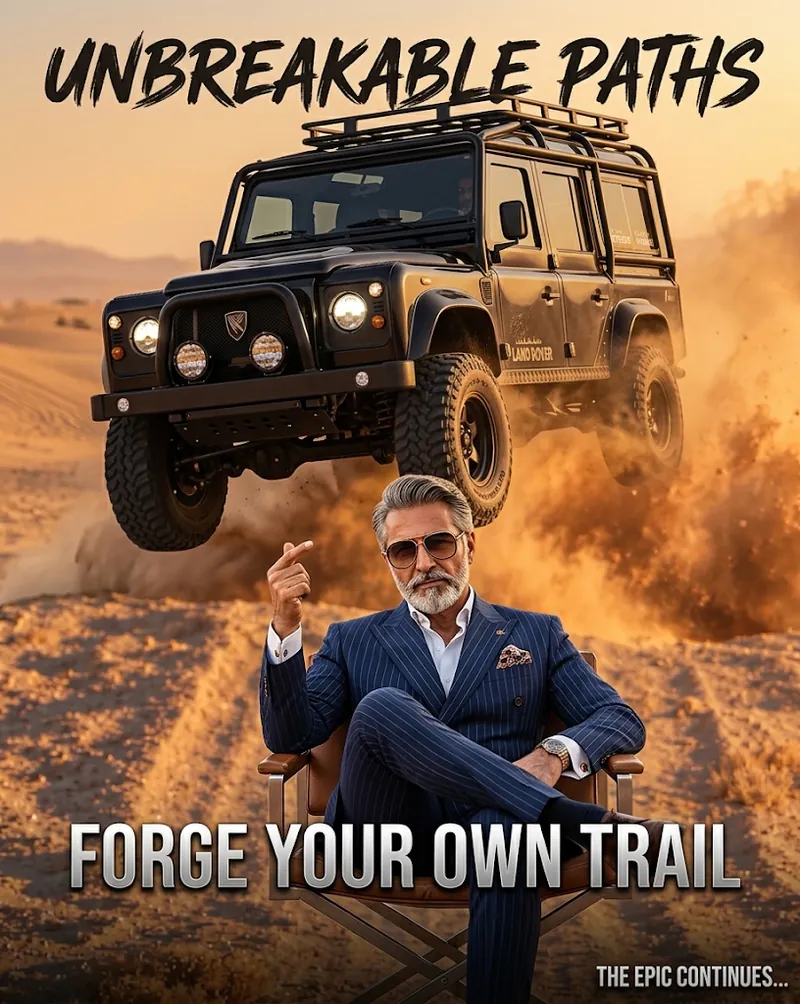
This free AI video prompt replaces the main character in a clip with your own character, while the camera, background, lighting and timing stay exactly the same. It works well for action clips such as the Unbreakable Paths truck jump video.
VIDEO-TO-VIDEO CHARACTER REPLACEMENT

Base video: [describe or upload your base video, for example "a 4x4 truck jumping over a desert dune"]
New character: [upload your character reference image]

TASK
Replace the main character in the base video with the character in the reference image. The new character must be an exact visual match to the reference image, keeping the same face, hairstyle, skin tone, body proportions, clothing and overall look.

MOTION
The new character must follow every movement of the original character: body position, gestures, walking style, head turns, facial expressions and eye contact. Motion must look natural and realistic from the first frame to the last.

KEEP UNCHANGED (100%)
Camera movement, framing, background, environment, lighting, shadows, color grading, timing and video length. Do not change any other people or objects in the scene.

SCENE INTERACTION
The new character must cast correct shadows, be hidden correctly behind objects when needed, and react to the environment as if they were filmed in the original scene.

AVOID
Face flicker, clothing that changes between frames, extra limbs, blurry edges around the character, and any added text, logos or watermarks.
What this AI character swap prompt does
This prompt tells an AI video tool to do a character swap, also called video-to-video character replacement. You give it a base video and a picture of your new character. The tool replaces the person in the video with your character and copies their movements, while everything else in the clip stays the same.
What you need before you start
- A base video: the clip you want to change, with one clear main subject.
- A character image: a sharp picture of the character you want to appear, ideally facing the camera.
- An AI video tool that accepts a reference video and a character image.
How to use this prompt step by step
- Click Copy prompt above.
- Open your video tool and choose its video-to-video or character replacement mode.
- Upload your base video and your character image.
- Paste the prompt and replace the two bracketed lines with a short description of your video and character.
- Generate a short test first, check the face and movement, then run the full clip.
Example: the Unbreakable Paths truck jump video
The poster on this page was made for a video called Unbreakable Paths, built around a dramatic truck jump across a desert. A character swap lets you keep the exact jump, camera angle and dust while placing your own character in the scene. The poster works as the cover image that makes viewers tap play.
Tips for realistic results
- Pick a base video with good light and a subject that is easy to see.
- Use a high-resolution, front-facing character image so the face stays consistent.
- Keep clips short. Shorter clips usually hold the character's look better.
- If the face flickers, try a clearer character image or a closer shot.
- For a cartoon or non-human character, change the word realistic in the motion section to match your style.
Use it responsibly
Only use videos and character images you own or have permission to use. Do not use this prompt to copy or impersonate a real person without their consent, or to mislead viewers. Many platforms ask you to label realistic AI-generated content, so add the label when you post.
Frequently asked questions
What is a video-to-video character swap?
It is an AI video technique where the main person in an existing clip is replaced by a different character, while the movement, camera and background are kept.
Which AI tools can I use with this prompt?
Any AI video tool that accepts a reference video and a character image. Features change often, so check which video-to-video options your tool offers.
Why does my character not look like the reference image?
Use a sharper, front-facing character image and a closer base video. Generate a short test first, and repeat the face and clothing details in your prompt.
Can I use a cartoon or animated character?
Yes. Upload your cartoon character as the reference image and edit the motion line so it does not demand realistic human movement.
Is this prompt free to use?
Yes. You can copy and use it for free in your own projects.
Free AI Video Prompt for 3D Body Factory Comedy Reels
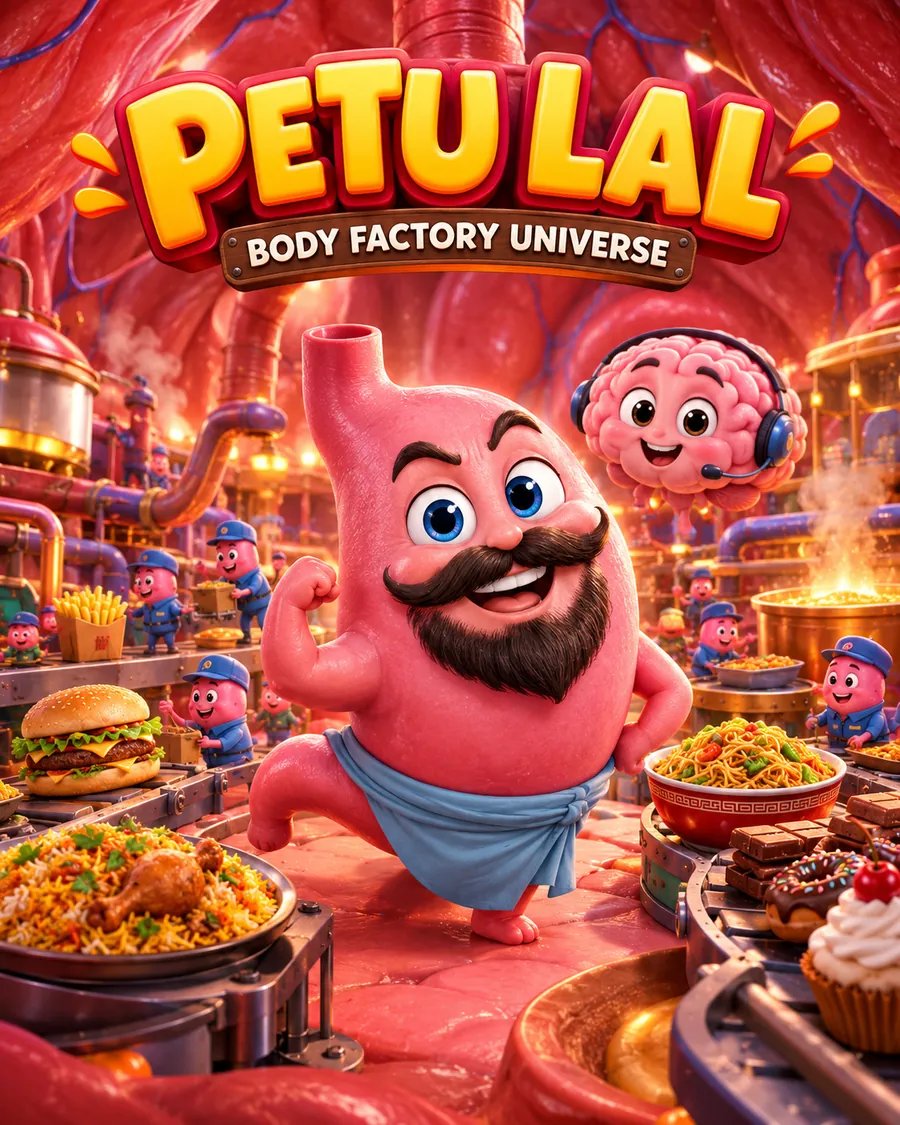
This free AI video prompt turns ChatGPT, Gemini or Claude into a full production team for short 3D animated comedy reels. You get 15 viral-style ideas, a complete 30-second reel, ready-to-use image and video prompts, and a posting pack for TikTok, Instagram Reels and YouTube Shorts.
Act as an expert viral short-form content strategist, 3D animation director, comedy scriptwriter and AI video prompt engineer. I am building a fictional animated comedy series called "Petu Lal: Body Factory Universe".

STEP 1: IDEAS
Generate 15 original reel ideas featuring Petu Lal, a funny anthropomorphic stomach, in a miniature fantasy body-factory world. For each idea give a short hook and the featured food. Rotate desi food, fast food, Chinese food, chocolates, desserts and snacks. Use visual gags, relatable eating habits and surprising but accurate digestion facts. Never repeat a dish I have already used. Dishes already used: [LIST YOUR USED DISHES HERE]. Do not promise guaranteed virality. After the list, ask me which idea number to produce.

STEP 2: THE REEL (after I pick a number)
Write one 30-second reel made of exactly 3 connected 10-second scenes. For every scene give 1 detailed image prompt and 1 detailed video prompt (6 prompts in total). Each video prompt must contain exactly 4 short, natural Roman Urdu/Hinglish dialogue lines, with no narrator, no extra dialogue and no silence.

STEP 3: POSTING PACK AND POSTER
Give a caption, a YouTube Shorts title, a small hashtag set, a TikTok AI description, a short science note and editing tips. Also write one 9:16 poster prompt for this episode, with the featured food as the main visual gag.

CHARACTERS (repeat these in every prompt)
- Petu Lal: cute pink bean-shaped anthropomorphic stomach, large expressive blue eyes, thick black moustache and beard, tiny arms, light-blue waist wrap. Sarcastic, dramatic, overworked factory manager.
- Worker microbes: tiny pink characters with eyes and blue uniforms.
- Brain Babu: cute pink anthropomorphic brain with expressive eyes, tiny hands and a small headset.

WORLD AND STYLE
Only the fictional internal body-factory universe: pink-red folded organic chamber walls, subtle red and blue veins, an overhead muscular tube, small conveyors and pipes, warm amber volumetric lighting, soft steam, glossy organic textures, subtle subsurface scattering, polished 3D family-animation look. Vertical 9:16, cinematic close-ups, shallow depth of field, expressive faces, simple movements.

STRICT RULES
No real humans, no human faces, no people eating, no kitchens, restaurants, bedrooms, weddings or outside-world cutaways. No gore, horror, text, subtitles, watermarks or logos inside generated scenes. Keep every prompt self-contained: repeat the full character descriptions, environment, food, lighting, camera and restrictions each time. Keep scenes simple: one food item, one conveyor, one or two characters, one camera move.

LANGUAGE
Explain to me in conversational Roman Urdu. Write all prompts in clear English and all character dialogue in Roman Urdu.

Start now with the 15 ideas only, then ask me to choose a number.
What this AI video prompt does
This prompt is a complete workflow for making 3D animated comedy reels with AI. It is built around a funny stomach character called Petu Lal who runs a tiny factory inside the body. Each reel turns a familiar food, such as a burger or a bowl of noodles, into a joke, with one true digestion fact hidden inside.
You paste the prompt once. The AI first gives you 15 ideas, then writes everything you need for the idea you choose.
What you get from one run
- 15 original reel ideas, each with a hook and a featured food.
- One full 30-second reel split into 3 connected 10-second scenes.
- 6 detailed prompts: one image prompt and one video prompt for every scene.
- 4 short Roman Urdu dialogue lines in every video prompt.
- A posting pack: caption, YouTube Shorts title, hashtags, TikTok AI description, a short science note and editing tips.
- A 9:16 poster prompt for the episode.
How to use this prompt step by step
- Click Copy prompt above.
- Paste it into ChatGPT, Gemini or Claude.
- Replace [LIST YOUR USED DISHES HERE] with the foods you have already made, so the AI never repeats them.
- Read the 15 ideas and reply with the number you like.
- Copy each scene's image prompt into your AI image tool, then use each video prompt in your AI video tool, such as Google Flow.
- Join the three clips in an editor like CapCut, add the poster as your cover, and post.
Why the prompt is written this way
AI video tools forget details between clips, so every prompt repeats the full character, world and rules. This keeps Petu Lal looking the same in all three scenes. Each scene uses one food, one conveyor and one simple camera move, because simple scenes are easier for AI video tools to get right. The dialogue is limited to four short lines so it fits naturally into 10 seconds.
Tips for better results
- Keep a running list of dishes you have used and paste it in every time.
- Generate the image for each scene first, then use it as the starting frame for the video.
- Check the science note before posting. AI can make mistakes, so confirm any health or digestion fact from a trusted source.
- Keep the character description exactly the same across episodes so viewers recognise your series.
Who this prompt is for
It suits faceless content creators, animators, and anyone who wants to post short AI cartoons on TikTok, Instagram Reels or YouTube Shorts without filming. You can swap the stomach for any other character or world by editing the characters and style sections.
Frequently asked questions
Which AI tools work with this prompt?
Paste it into any text AI, such as ChatGPT, Gemini or Claude, to get the ideas and scripts. Then use the image and video prompts it writes in your preferred AI image and video tools, such as Google Flow.
Can I use my own character instead of Petu Lal?
Yes. Replace the character descriptions and the series name with your own, and keep the rest of the structure the same.
Can I change the dialogue language?
Yes. Change the language line at the end of the prompt, for example from Roman Urdu to English or Hindi.
Will this make my reel go viral?
No prompt can promise that. It helps you make clear, funny, consistent videos, and results still depend on your audience, posting habits and luck.
Is this prompt free to use?
Yes. You can copy and use it for free in your own projects.
How to use AI video prompts
- Pick a prompt and tap Copy prompt.
- Paste it into your AI tool and replace anything in [brackets].
- Generate a short test, then refine it and run the full video.
- Edit the clip, add your cover image and post.